

Driver Page
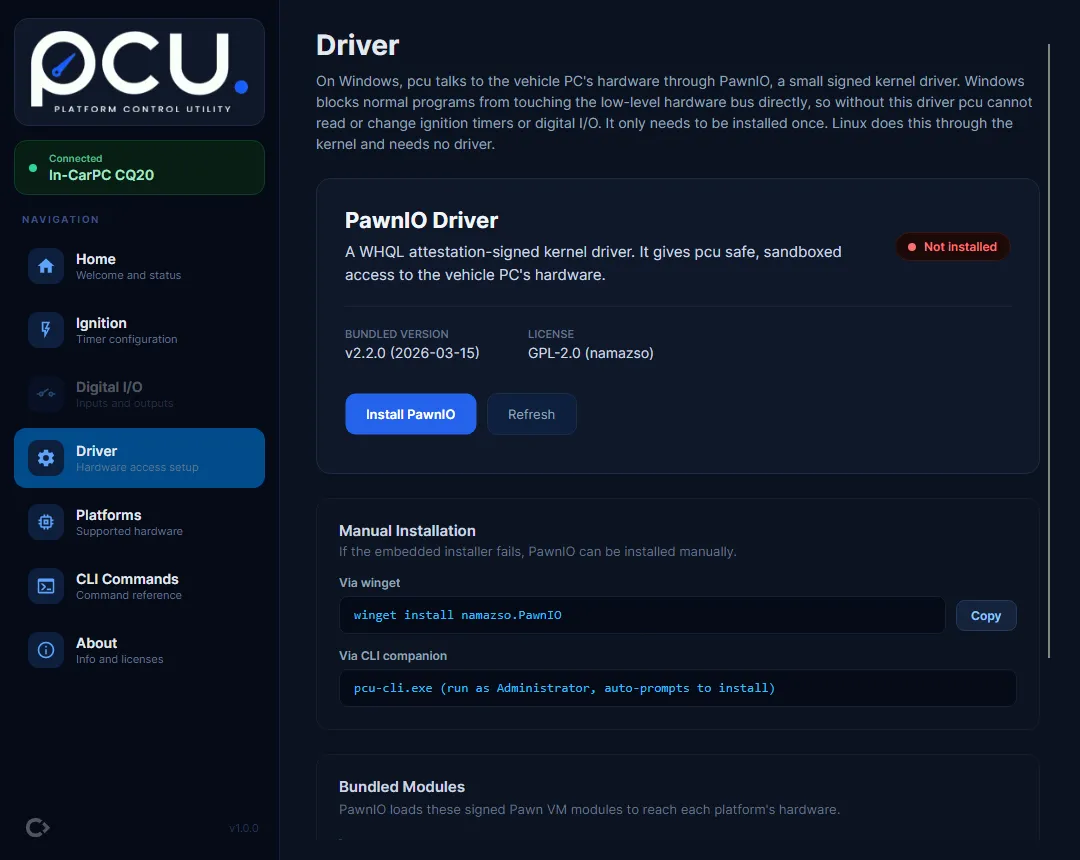
The Driver page manages PawnIO, the kernel driver pcu uses to reach the hardware on Windows. It is
a Windows-only page; on Linux it is greyed out, because hardware access goes through the kernel
i2c-dev module instead (set up during Install on Linux).
As the page puts it: on Windows, pcu talks to the vehicle PC’s hardware through PawnIO, a small signed kernel driver. Windows blocks normal programs from touching the low-level hardware bus directly, so without this driver pcu cannot read or change ignition timers or digital I/O. It only needs to be installed once.
Driver status
Section titled “Driver status”The “PawnIO Driver” card shows the current state:
- Installed - pcu can reach the hardware.
- Not installed - install it with the “Install PawnIO” button.
- Reboot required - a reboot is pending to finish an install or uninstall.
Use “Refresh” to re-check the status.
Installing
Section titled “Installing”- Select “Install PawnIO”.
- Accept the UAC prompt. PawnIO installs elevated and silently.
- pcu reports the result:
- “PawnIO driver installed successfully.” - ready to use; pcu reconnects automatically.
- “PawnIO driver installed. Reboot to complete installation.” - reboot, then reconnect.
- “Installation cancelled. UAC prompt was declined.” - the elevation prompt was dismissed; try again and accept it.
- “Installation failed. Try installing manually: winget install namazso.PawnIO” - see Manual installation below.
Uninstalling
Section titled “Uninstalling”Select “Uninstall” and accept the UAC prompt. pcu shows “PawnIO driver uninstalled. Reboot to complete removal.” An uninstall always needs a reboot: the driver stays loaded in memory until then.
Manual installation
Section titled “Manual installation”If the embedded installer fails, install PawnIO with winget (the page has a “Copy” button for the command):
$ winget install namazso.PawnIOThe CLI companion can also install it: run pcu-cli.exe as Administrator and it prompts to install
the driver.
Bundled modules
Section titled “Bundled modules”PawnIO loads signed Pawn VM modules to reach each platform’s hardware. The page lists both:
| Module | Platform | Purpose |
|---|---|---|
| SmbusI801 | CQ20 | Auto-detects the on-board SMBus controller and reads/writes the MCU. |
| LpcIO | CQ40 series | Gates raw port I/O to the SuperIO GPIO ports for digital I/O. |
The bundled PawnIO version is shown on the card (currently v2.2.0). The modules are open source (LGPL-2.1); PawnIO itself is GPL-2.0.
If the driver will not install
Section titled “If the driver will not install”If PawnIO will not install, or the hardware will not connect on Windows, see Windows Issues. To install pcu itself, see Install on Windows.